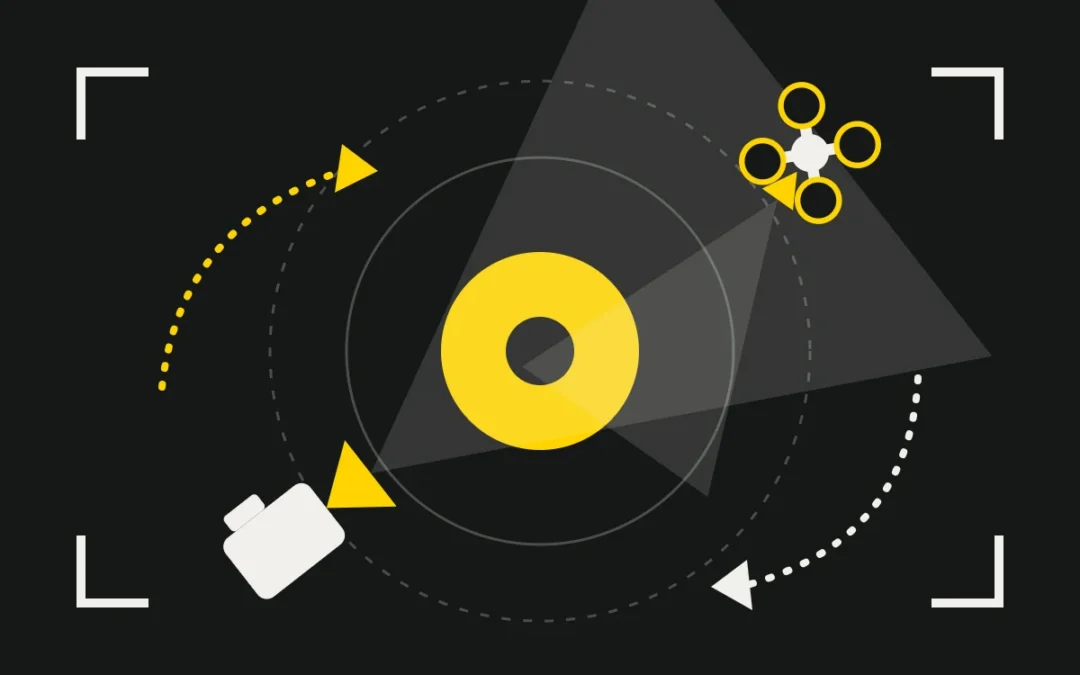
A camera movement is not an effect: it is a sentence. It reveals, follows, closes in, isolates or adds scale. In this article we go through the essential movements, with animated diagrams seen from above or from the side so you can see what the camera actually does, then crane and drone moves, and finally how to choose the right gesture for a corporate film.
Why move the camera?
A static shot is often the right one. We add movement when it serves an intention: discovering a place, accompanying a character, building tension, linking two elements. A movement without a reason tires the viewer; a motivated one goes unnoticed and drives the story forward.
The basic movements
The pan
The camera stays in place and turns left or right. It is used to follow a subject, link two elements or reveal a setting. A very fast pan, the whip pan, becomes a stylistic effect or a transition.
The tilt
A tilt reveals the height of a building, a machine or a person, from bottom to top or the reverse. It conveys grandeur or crushing weight depending on the direction.
The dolly in and out
Here the camera really moves. Moving in draws attention and enters the subject’s intimacy; moving out reveals context or isolates the character. Do not confuse it with a zoom: a zoom changes the focal length from a fixed position, whereas a dolly changes the relationship between foreground and background (parallax). Combining a dolly in with a zoom out, or the reverse, gives the dolly zoom, famous for its vertigo effect.
The tracking shot
The camera moves parallel to the subject: it accompanies a person walking or runs alongside a set. The result is smooth if the equipment is suited. We cover these tools in our article on camera stabilisation (slider, track, gimbal, Steadicam).
The crane: rising, descending, opening a scene
A crane (or jib) is a pivoting arm with the camera at one end and a counterweight at the other. It describes an arc: the camera rises or descends while staying aimed at the subject. Rising, it opens a scene and adds scale; descending, it closes in on the characters. Depending on the project, a light crane, a jib or a telescopic arm is enough, but you need space, set-up time and a crew to operate it safely.
Drone movements
A drone offers a freedom a crane cannot: height, distance, continuous trajectories. A few classic moves:
- The reveal: the drone rises or moves forward past an obstacle (a hill, a wall) to unveil a place.
- The orbit: the drone circles a building, a monument or a subject that stays at the centre of the frame.
- The fly-over: the drone moves forward at constant altitude above a landscape, a site or a building project.
- The follow: the drone accompanies a vehicle, a boat or a person in motion.
- The top-down: the camera looks straight down, very graphic for shapes, crops or bodies of water.
- The rising pull-back: the drone retreats while rising to place the subject in its environment.
Drones are strictly regulated (zones, authorisations, pilot training): we cover this on our drone for business page.
Which movement for which effect?
| Movement | Intended effect | Common tool | Avoid |
|---|---|---|---|
| Pan | Follow, link, reveal | Tripod, fluid head | Uneven speed |
| Tilt | Reveal height | Tripod, gimbal | Abrupt stop |
| Dolly in | Intimacy, attention | Slider, track, gimbal | Mixing it up with a zoom |
| Dolly out | Context, isolation | Track, gimbal | Obstacles behind the camera |
| Tracking shot | Accompany, parallax | Track, slider, gimbal | Empty scenery |
| Crane | Open or close a scene | Jib, crane | Lack of space |
| Drone | Scale, aerial viewpoint | Professional drone | Unauthorised zones |
Our rule. One movement, one intention. Start and end on a held frame, keep a constant speed, and shoot a static safety shot for the edit.
A camera movement to imagine?
Tell us about your project: we choose the gesture that serves your image.